Search This Blog

Showing posts with label photo. Show all posts

Wednesday, June 20, 2012

Samsung Galaxy S3: Which US carrier should you choose?

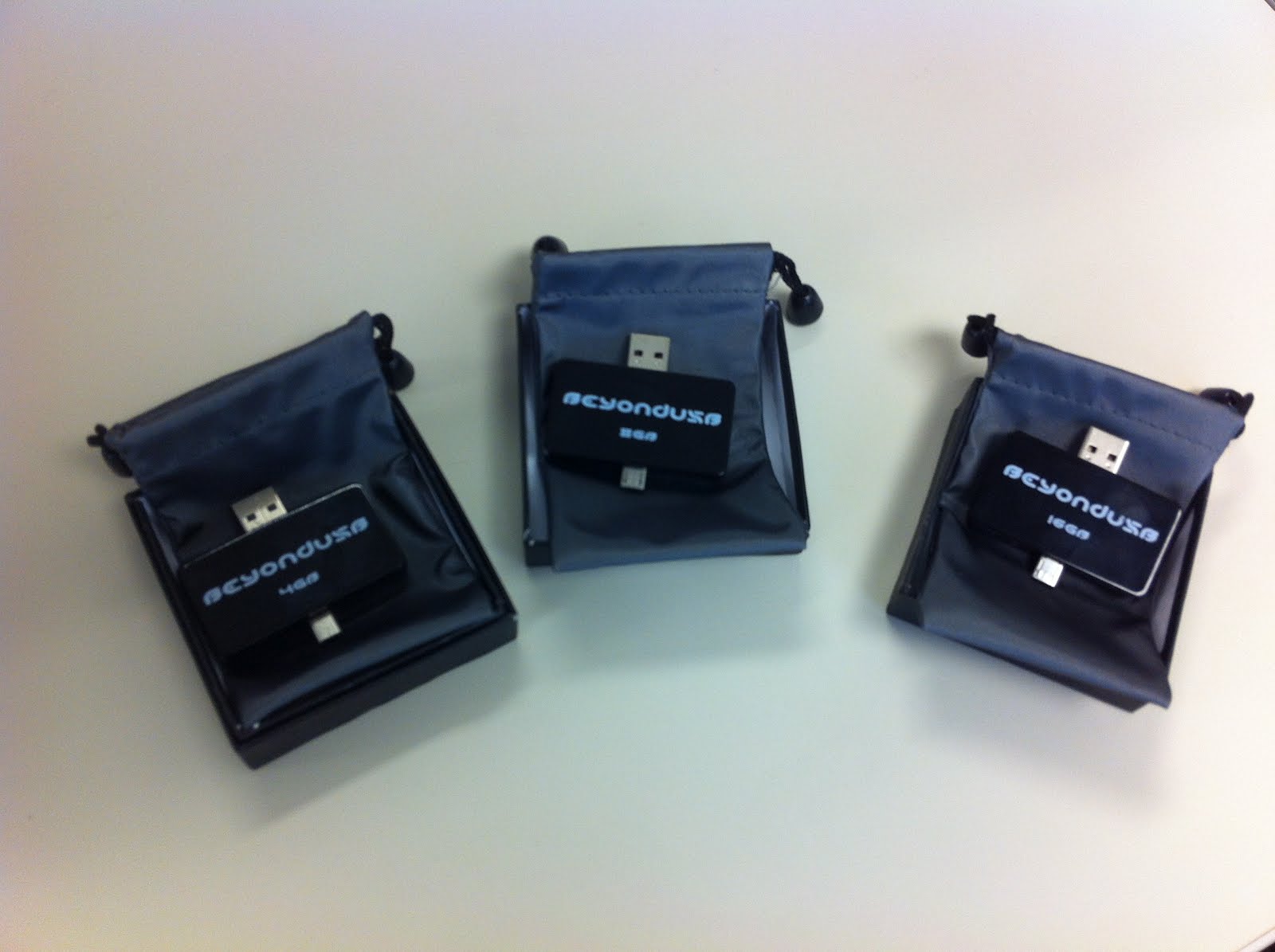
 Transfer Your Photos, Videos, Music, Documents and more in a flash, by simply plugging in your Beyond USB into your Smartphone or Computer. Very simple and easy for all to use. Get Yours Today! 

http://beyondusb.com/


Samsung Galaxy S3: Which US carrier should you choose?

Samsung Galaxy S3, blue

Share This article

Tomorrow, June 21, the Samsung Galaxy S3 arrives in the United States. A carpet bomb launch will see the phone arrive on all four major carriers — AT&T, Verizon, Sprint, and T-Mobile — at the same time, at the same price ($200 for the 16GB version, with a two-year contract). Verizon, Sprint, and US Cellular will also offer the 32GB variant for $250. But which carrier is the best choice for the Galaxy S3?
Fortunately, as you may have noticed, Samsung seems to have pulled off the impossible and convinced every US carrier to call the Galaxy S3… the Galaxy S3. For the time being at least, we won’t be seeing the same hyperbolic noun treatment that previous Galaxy S phones went through (Fascinate, Vibrant, Epic 4G, Epic 4G Touch, etc.) This has the knock-on effect that almost every Galaxy S3 available in the US will be virtually identical — at least hardware-wise.
Every US Galaxy S3 has the same Snapdragon S4 MSM8960 dual-core 28nm SoC, clocked at 1.5GHz, with the Adreno 225 GPU. They weigh the same (133g), have the same battery life (around 9 hours), have the same 2GB of RAM, and most importantly, they all have Qualcomm’s awesome multi-mode 2G/3G UMTS & HSPA/4G LTE radio. The only difference as far as we can tell is that the T-Mobile variant (SGH-T999) doesn’t support LTE, and the AT&T/Verizon/Sprint models (SGH-i747, SCH-i535, SPH-L710 respectively) don’t support T-Mobile’s HSPA+. We believe the Snapdragon S4′s radio might be reconfigurable with some firmware hacking, however; it might be possible to take a T-Mobile S3 and use it on AT&T’s LTE network.
All US Galaxy S3 phones support Bluetooth 4.0 LE, 2.4 and 5GHz WiFi a/b/n/g, and NFC. Except for the Sprint variant (SPH-L710), it is likely that all Galaxy S3s are quad-band GSM and should be capable of GSM roaming in Europe and Asia.
Samsung Galaxy S3 white, supine
As you’ve probably guessed by now, the main difference between the Galaxy S3 on each carrier is bloatware. While all of the carriers’ S3s will have Samsung’s fancy new apps (S Voice, AllShare Play, Media Hub, etc.), each carrier will have a different selection of bloatware on offer. The Sprint S3 will come with the usual Sprinty stuff (Hotspot, SprintZone), plus Dropbox and Google Wallet. The AT&T S3 is relatively svelte, with just the normal AT&T apps (Navigator, Messages, myAT&T) and YP Mobile. Neither the Verizon or T-Mobile S3s have been released for review, so we won’t know how bloated they are until they arrive on our doorstep tomorrow.
All Galaxy S3s will run Android 4.0 Ice Cream Sandwich, skinned with Samsung’s TouchWiz.
Except for bloatware, then (which you can easily remove), any Galaxy S3 purchased from a US carrier will be virtually identical. There are still two very important variables to discuss, though: Network speed, and the international quad-core Galaxy S3 (GT-I9300).
PC Mag's Fastest Mobile Networks 2012While the US Galaxy S3 is an LTE phone, there isn’t actually a whole lot of LTE coverage in the USA. Fortunately, our sister site PC Mag has just published its Fastest Mobile Networks 2012 guide. While Verizon is the overall 3G/4G winner, there were still 11 cities where T-Mobile’s HSPA+ network provided faster download speeds than Verizon LTE, and where AT&T LTE is available it simply blows away the competition.
Bear in mind that Sprint’s 4G LTE network is almost nonexistent (though its Network Vision upgrade is underway). T-Mobile is also beginning to roll out LTE (alongside HSPA+), though again you will probably have to hack the radio firmware to be able to use it.
Before you pick a carrier for your new Galaxy S3, I strongly suggest you check the 3G and 4G speeds for your city or region.
Finally, it’s worth remembering that you can also buy an unlocked, off-contract international (i.e. non-US) quad-core Galaxy S3 (GT-I9300) for around $800. The GT-I9300, with its 1.4GHz Exynos 4 Quad and Mali 400 GPU, seems to clock in significantly higher scores in GPU benchmarks, JavaScript benchmarks, and CF-Bench (a multi-core CPU and memory benchmark). Battery life seems to be roughly the same, but the Exynos version only has 1GB of RAM vs. the Snapdragon’s 2GB.
If you don’t like bloatware, it’s also important to note that there’s already a CyanogenMod 9 (i.e. vanilla Ice Cream Sandwich) build for the GT-I9300 — though I’m sure it’ll only be a matter of days or weeks before we see CM9 for the SGH-i747, SCH-i535, SPH-L710, and SGH-T999. The GT-I9300 should work on AT&T’s HSPA+ network, but it will be incompatible with T-Mo, Verizon, and Sprint.

Tuesday, April 24, 2012

Samsung Galaxy S2 vs. iPhone 4S: Worthy winner is? by phonesreview.co.uk

 Transfer Your Photos, Videos, Music, Documents and more in a flash, by simply plugging in your Beyond USB into your Smartphone or Computer. Very simple and easy for all to use. Get Yours Today! Visit http://www.BeyondUSB.com for details!
Under: Apple iPhone, Samsung
Date: November 16th, 2011
For several months the Samsung Galaxy S2 has been known as the best smartphone leading most of the lists of top smartphones. Many other manufacturers tried to create devices able to compete with it, but none succeeded – even Apples iPhone 4, according to most geeks I know, yielded to it in many aspects. Perhaps Samsung thought its Galaxy S2 was unreachable, but not so long ago Apple released the new iPhone 4S with a number of updated specs and features… and we all understood that the Galaxy S2’s position is now shaken.
So which phone is cooler – the Samsung Galaxy S2 or the Apple iPhone 4S? Which has better features? Which is worthy of your money? I’ll try to find this out in my comparison of these two smartphones.


Design
I think we all understand that design is a matter of taste. Some like huge, heavy and rugged devices; others prefer light and tiny ones. So in this case we can’t say which phone is better – the Samsung Galaxy S2 or the new iPhone 4S – we can only note the obvious: you can’t say the Samsung Galaxy S2 is a tiny phone (it has a 4.3-inch display, after all), but it’s slim (only 8.49mm – much less than all the phones I can think of) and light – it’s plastic body together with the battery weighs only 116g. The iPhone 4S, on the other hand, isn’t much different from its predecessor in term of size and design (same cases can go for both); it’s smaller than the Galaxy S2, since its display is smaller (3.5 inches), but it’s not as thin as it.
Display
There was a time when many people believed that the Samsung Galaxy S2 had the best screen ever, but now its 4.3-inch Super AMOLED Plus touchscreen with 800 x 480 resolution doesn’t sound that cool any longer… The resolution of the iPhone 4S’s screen is higher – 960 x 640. Of course, it doesn’t mean the Galaxy S2 is outdated now or not that good any more – its screen is very bright, all the colors are eye-popping and very beautiful, and they don’t darkle or fade when you look at the screen at an angle. It’s great for watching movies and even for playing HD games (there are plenty of them in Android Market).
However, the display of the iPhone 4S due to its higher resolution is even brighter and isn’t afraid of sunlight, too (though it actually fades a bit under direct sunlight). The only bad thing is – old icons and apps look grainy on such a clear display, so unless the developers update them and adjust for high-res screens, you won’t enjoy using them on the iPhone 4S… at all.
So… here the winner is the iPhone 4S with its super screen, though I personally like the display of the Samsung Galaxy S2, too.
Processor
The Samsung Galaxy S2 boasts a 1.2GHz dual-core ARM Cortex-A9 processor that provides really fast performance without any delay. Web browsing is very quick even via Wi-Fi networks, and you won’t face any problem with loading and playing even the most “heavy” games on Samsung’s flagship.
The iPhone 4S has a 1GHz dual-core ARM Cortex-A9 processor, which is also very fast (much faster than the single-core processor of the original iPhone 4 at least), but, though it provides great graphical acceleration, it yields to the CPU of the Galaxy S2 in terms of performance, so here the winner is Samsung’s smartphone.
Camera
The Samsung Galaxy S2 has a cool 8MP camera with auto-focus and LED flash that takes 3264 x 2448 photos and 1080p videos at 30fps. If you remember, the original iPhone 4S had a 5MP sensor, and many geeks thought it was a big shortcoming, even though the number of megapixels doesn’t really matter. Anyway, now those geeks have received what they wanted – the new iPhone 4S has an 8MP camera able to take 3264 x 2448 pictures just like the Galaxy S2 and many other modern smartphones. Plus it has a CMOS illuminated sensor, which is 73 percent more effective and about 30 percent faster than before. And of course, it shoots 1080p HD videos, too.
However, the secondary 2MP camera of the Samsung Galaxy S2 is better than the VGA camera of the new iPhone 4S. But anyway, secondary cameras don’t play a big role here, and as for the rear-facing ones, they’re both equally good, so we have a draw here.
Platform
Just like in case of design, I don’t think it’s a good idea to compare two operating systems, especially if they’re both good – each in its own way. Android the Samsung Galaxy S2 runs is the most popular platform at the moment, famous for being easy to customize and for having a huge number of apps in Android Market, too. However, the Gingerbread it runs isn’t the newest version of Google’s OS any longer, since the Ice Cream Sandwich update is already on its way, so we can’t say the Galaxy S2 runs the best software ever.
On the other hand, Apple’s iOS is really easy to use (even if the iPhone is your first smartphone ever, you won’t face any problem dealing with it – the user interface of iOS is intuitively understandable for everybody), but of course it’s not what makes the new iPhone 4S special. You’ve probably already heard about Siri – the special program designed to help the user give commands to the phone, ask questions and even send text messages. Siri is new, smart and funny, too (it came out that the developers had hidden many interesting Easter eggs, funny jokes and witty responses to strange questions in it), and I guess many people will buy the iPhone 4S especially for Siri.
Since you can’t surprise anyone with Android now, especially with its Gingerbread version, so in this case I think the prize should go to the iPhone 4S and its Siri.
Price
The unlocked version of the Samsung Galaxy S2 costs £397.99 on Amazon, while the 16GB iPhone 4S is more expensive – £593.15. However, we shouldn’t forget that the Galaxy S2 was released several months ago, and the 4S is only about a month old, so it will most likely be discounted after a while. Anyway, you can find much better deals at RightMobilePhone offering both smartphones for free with contracts, so perhaps it’s better to choose one of them instead of paying much more for a SIM-free device.
Verdict
The Samsung Galaxy S2 and the Apple iPhone 4S are both very good smartphones, no doubt, and both have their stronger and weaker sides. The Galaxy S2 is a bit faster thanks to its processor, while the iPhone 4S has a better display and Siri that has caught so much attention.
I think the Galaxy S2 has been the best smartphone for too long, and now a new device should come to replace it. Apple’s latest “child” can be this new device, so… the iPhone 4S is my choice.
The comparison article above has been written by a guest author, thank you.

Monday, April 2, 2012

Beyond USB 2.0 - OTG USB - Smartphone USB to Computer USB Interface Pictures


Transfer Your Photos, Videos, Music, Documents and more in a flash, by simply plugging in your Beyond USB into your Smartphone or Computer. Very simple and easy for all to use. Get Yours Today! Visit http://www.Beyondusb.com for more details!

Friday, March 30, 2012

Samsung Galaxy S2 review by t3.com

Samsung Galaxy S2 Review: The S2 offers an exciting batch of features, from a super repsonsive 4.3-inch touchscreen to a generous 8-megapixel camera
Samsung Galaxy S2 review

Transfer Your Photos, Videos, Music, Documents and more in a flash, by simply plugging in your Beyond USB into your Smartphone or Computer. Very simple and easy for all to use. Get Yours Today!Visit Http://www.BeyondUSB.com for more details!


Love

Glorious screen, thin body
Decent battery performance
Good camera/video mode

Hate

Feels plasticky
Can't play some Tegra games

Update: We've now got a round up of the latest Samsung Galaxy S3 rumours, in preperation for the launch of Samsung's next-gen Android smartphone. Want to know more? Our Samsung Galaxy S3 news video says it all.

We first saw the Android Samsung Galaxy S2 (GT-I9100) mobile phone at MWC earlier this year and it was love at first sight. The successor to the Samsung Galaxy S includes a gorgeous next-gen 4.2inch AMOLED screen in a slimmer body.

Well, the handset finally landed on T3’s doorstep a few days ago, and we can confirm this is more than a fleeting attraction. Samsung is seriously challenging HTC for the Android crown.

Samsung Galaxy S2: Build

Pick up the phone and the first thing you notice is how light it is – it’s just 116g. Measuring 8.49mm, it’s incredibly slim in comparison to 9.9mm for the original Galaxy S; 9.3mm for the Apple iPhone 4 and 8.7mm for the Sony Ericsson Xperia Arc.

While the Galaxy S2 will certainly fit into the tightest jeans pocket, the compromise is build quality - the body just feels cheap and uninspiring. Things don't improve when you remove the wafer thin back to insert a sim - we’d be seriously worried about snapping it.

Controls are limited to volume on one side, power on the other, MHL port, which serves a dual purpose of charging via USB and outputting to HDMI, and a 3.5mm jack on the top, Samsung includes a range of streaming options including DLNA.

Samsung Galaxy S2: Screen

The highlight of S2 is the 4.3-inch 800x480 screen, which incorporates Super AMOLED Plus technology. Colours are eye popping and blues and greens literally jump out of the screen at you. Off-angle viewing is excellent too - the first phone we’ve seen to match the iPhone 4.

A larger screen sizes means that the phone is bulky, but it’s a joy for movies. When playing back our test HD movie clips, detail is sharp and action smooth. We found that whites aren’t as pure or bright as those on the Apple iPhone 4, although blacks seem darker and colours are bolder and warmer. It handles action smoothly too.

Samsung Galaxy S2: Android
Samsung Galaxy S2 deals

Samsung Galaxy S2 deals
Samsung Galaxy Plus deals
Samsung Galaxy S Super LCD deals
All Samsung phone deals


Running Android 2.3.3 Gingerbread, you get seven homescreens customisable with widgets and shortcuts. Swipe down to quickly activate WiFi, Bluetooth, GPS and Auto Rotation settings. Phone, Contact, Messaging and Application settings along the bottom are static when you are browsing the homescreens. Like other Android phones, press down to customise with Shortcuts, Folders, Wallpaper and numerous Samsung widgets.

Samsung’s overlayed Android with its TouchWiz UI which is functional and adds some neat features, including four hubs: Music (see below), Games, Readers and Social Hub, which acts as a portal to Kobo bookstore and Magazines via Zinio.

Social Hub syncs social networking sites like Twitter, Facebook, to IM accounts including Google Talk; and MySpace and Linked-in. It’s functional, syncing your contacts, but we prefer HTC Sense. In addition Sony Ericsson’s Xperia skin is slightly easier to use, for example here you can only organize the Applications via grid or list and to create App Folders you make the folder first before dragging items onto it.

Samsung Galaxy S2: Processor

The Galaxy S2 has a 1.2GHz dual-core processor. In use the phone feels incredibly quick – one of the fastest smartphones we’ve used, whether you’re browsing a web page or swapping between applications it never feels slow. During our tests it loads web pages over WiFi quicker than the iPhone 4 - loading a content-rich website like T3.com in just 15 seconds.

This isn’t a Nvidia Tegra 2 chip, so we couldn't download games designed specifically for this (such as Samurai II: Vengence THD), but there are a decent selection of games to play. We defy anyone to not enjoy Shrek Karting with the 3-axis gyroscope, and it ably handles speedy gameplay.

Samsung Galaxy S2: Camera

Samsung has boosted the camera resolution from 5-megapixels to 8-megapixels, instead of a dedicated shutter; you tap the virtual shutter, which is fairly quick if not quite as nippy as the offering on the iPhone 4.

There are plenty of manual controls. Adjust the ISO from 100-800, choose from five white balance settings and choose between three metering settings. Samsung has also included Smile Shot, Beauty, Action, Cartoon and Panorama scene modes. Alongside auto focus, Macro mode captures sharp shots to around 10cm and there’s an effective Face Detection mode.

Still results are pleasing, the S2 is pretty good at controlling noise, and we’d like them to be a little sharper, colours are very natural. The S2 shoots HD video at 720p and 1080p at 30fps and results are pleasing; it’s smooth, with natural colours, perhaps lacking a little definition.

Samsung Galaxy S2: Music

Music Hub lets you browse and buy tracks from 7Digital, downloading directly to your phone, expect to pay around 99p. It’s very well laid out with Featured, Genres, My Music and My page icons along the top.

Confusingly there’s also a Music Player, the interface is very similar, although can create playlists here. We’ve no complaints about the sound quality, when you plug some headphones into the 3.5mm jack, and here you can access nine Equalizer modes and some Sound Effects, including the useful Bass enhancement and Wide.

Samsung Galaxy S2: Other features,

Samsung’s included motion controls. Hold an app down then move the phone left or right to scroll through the homescreens and reposition it. Elsewhere hold two fingers on the screen and move towards you and away from you to zoom in and out. We're not sure how useful these are - to us they felt awkward, but maybe with more time with the phone you will become more familiar with them.

Polaris Office lets you create and edit Word, Excel and Powerpoint documents. In portrait mode we did find the keyboard a bit cramped and frequently tapped the wrong keys and the predictive text isn’t as impressive as the iPhone 4. Alternatively the Swipe keyboard detects words as you drag your fingers over the keys, it works pretty well, although frequently didn’t recognize our choices, although this probably has more to do with us hitting the wrong keys. In landscape mode typing is far easier.

Elsewher you get Exchange Activesync, and Kies Air for accessing phone content over WiFi from a PC

Samsung Galaxy S2: Battery

With WiFi on, maximum brightness, moderate browsing, some video and photos we got into our second day. One of the most useful features is Task Manager, where you can view and kill active applications and clear the RAM, and you can enable Power Saving Mode to cut in when the power gets to 50%

Samsung Galaxy S2: Verdict

Our main complaint about the S2 is the build. It’s doesn’t feel premium and considering it will set you back close to £500 on pre-order, this isn’t good enough.

From the HTC Incredible S to the Sony Ericsson Xperia Arc, there have been some great Android handsets this year; however none have been fantastic, until now. Combining top-notch connectivity with one of the best screens available on a smartphone, backed by a powerful dual-core and good camera, the Samsung Galaxy S2 is quite simply a fantastic phone, we just wish the Korean giant had produced a handset with build closer to the feel of a top-end HTC or Apple handset.

Friday, March 16, 2012

Samsung Galaxy S2 review by techradar

Samsung Galaxy S2 review

Transfer Your Photos, Videos, Music, Documents and more in a flash, by simply plugging in your Beyond USB into your Smartphone or Computer. Very simple and easy for all to use. Get Yours Today! Visit http://www.BeyondUSB.com for details!

Dual-core power, beautiful screen - the Galaxy S II is the kind of sequel we like

Our Score 5

Last reviewed: 2011-04-26April 26th 2011


the-definitive-samsung-galaxy-s2-review

The definitive Samsung Galaxy S2 review

The Samsung Galaxy S II is the phone the Korean firm deems the successor to its best smartphone so far. And with a 1.2GHz processor, super-slim chassis and feather-light innards, it's easy to see why.

The dual-core race is set to heat up massively over the next few months, with the LG Optimus 2X already released, and the Motorola Atrix, HTC Sensation and iPhone 5 or iPhone 4S all set to bring the tech to market too.

Coming in at £35 a month and £519.99 SIM-free, the Galaxy S 2 isn't the cheapest phone out there by a long chalk – so let's see if it can match up to that larger price tag.

You can check out our Samsung Galaxy S 2 video:

The Samsung Galaxy S2 is almost impossibly thin when you pick it up – dimensions of 125.3 x 66.1 x 8.5mm mean it's one of the thinnest smartphones on the market at the moment, rivalling the likes of the iPhone 4 and Sony Ericsson Xperia Arc for the title.

Samsung galaxy s2 review

It's crazy-light too – when we show you what tech is rammed under the hood, you'll be amazed that it all goes in a device that weighs only a shade over 100g (116g, to be precise).

Samsung clearly traded the premium feel an all-metal chassis might have brought to keep the grams off the Galaxy S2 – pop the battery cover off and you'll find you're holding a piece of pretty flimsy plastic.

Samsung galaxy s2 review

However, most of the time you won't be removing this and it fits nicely into the contoured chassis – the mesh feel on the rear also helps keep your hand from getting warm during extended holding.

The other thing you'll notice when you first pick up the Galaxy S2 is the screen – at 4.3 inches it's hard to miss, and when you turn it on the Super AMOLED plus technology hits you square in the eyeballs (once it's got through the toughened Gorilla Glass).

Samsung galaxy s2 review

We called the Samsung Galaxy S "the best phone on the market for media" when we reviewed it, thanks to its first-gen Super AMOLED screen. Now the Galaxy S2 has definitely improved on that, with a superbly crisp and vibrant screen.

The only problem is a slightly schizophrenic auto-brightness - if you try and save battery by having the sensor monitor ambient light levels, then the screen decides to bounce about with light levels even in same conditions.

UPDATE: Samsung has released a fix to solve this problem already, so forget about it. Un-read what you just read. We could delete it, but that would be lying to you.

In the hand, the Galaxy S2 sits much better than we'd have expected, given the whopping screen on offer, and that's mostly down to its slim depth.

Samsung galaxy s2 review

The front of the phone is pretty sparse, with the home key the only piece of furniture on offer. This rectangular button flanks two touch-sensitive buttons – Menu and Back – so there's no room for contextual search here.

The volume keys are located on the left-hand side, and the power/lock key is on the opposite flank; both are easy enough to hit without error, and crucially the travel on the power key is softer so that it's much easier to hit when you're juggling it in the palm – compare that to its predecessor, where you could accidentally drop it trying to shut off the screen.

Samsung galaxy s2 review

The 3.5mm headphone jack lives on the top of the phone, bucking the lower placement on other 4.3-inch screen phones, and the microUSB slot (which also doubles as an HDMI out port) lives on the bottom.

The only other element of note is the 8.1MP camera with single LED flash on the rear – it's slightly raised, but not so much that it disrupts the Galaxy S2 when you're placing it on a table, thanks to a rear lip to help you hold the phone.

Samsung galaxy s2 review

We actually (foolishly, in hindsight) unboxed the phone while bouncing about on a powerboat on the Thames - and luckily, there was a camera rolling the whole time. (note - we're well aware of the stupid spec mistakes on the boat. Some were down to information given to us by Samsung that has since changed, and some due to sheer confusion at being thrown ten feet in the air and having our spine crushed.)

Monday, March 12, 2012

Samsung Galaxy S2 review

Samsung Galaxy S2 review

Transfer Your Photos, Videos, Music, Documents and more in a flash, by simply plugging in your Beyond USB into your Smartphone or Computer. Very simple and easy for all to use. Get Yours Today! Visit http://www.BeyondUSB.com for details!

Dual-core power, beautiful screen - the Galaxy S II is the kind of sequel we like

Our Score 5

Last reviewed: 2011-04-26April 26th 2011

Mobile phones Review

REVIEW
USER REVIEWS ( 1864)
PHOTOS
FULL SPEC
COMPARE DEALS
ALSO CONSIDER

the-definitive-samsung-galaxy-s2-review

The definitive Samsung Galaxy S2 review

The Samsung Galaxy S II is the phone the Korean firm deems the successor to its best smartphone so far. And with a 1.2GHz processor, super-slim chassis and feather-light innards, it's easy to see why.

The dual-core race is set to heat up massively over the next few months, with the LG Optimus 2X already released, and the Motorola Atrix, HTC Sensation and iPhone 5 or iPhone 4S all set to bring the tech to market too.

Coming in at £35 a month and £519.99 SIM-free, the Galaxy S 2 isn't the cheapest phone out there by a long chalk – so let's see if it can match up to that larger price tag.

You can check out our Samsung Galaxy S 2 video:

The Samsung Galaxy S2 is almost impossibly thin when you pick it up – dimensions of 125.3 x 66.1 x 8.5mm mean it's one of the thinnest smartphones on the market at the moment, rivalling the likes of the iPhone 4 and Sony Ericsson Xperia Arc for the title.

Samsung galaxy s2 review

It's crazy-light too – when we show you what tech is rammed under the hood, you'll be amazed that it all goes in a device that weighs only a shade over 100g (116g, to be precise).

Samsung clearly traded the premium feel an all-metal chassis might have brought to keep the grams off the Galaxy S2 – pop the battery cover off and you'll find you're holding a piece of pretty flimsy plastic.

Samsung galaxy s2 review

However, most of the time you won't be removing this and it fits nicely into the contoured chassis – the mesh feel on the rear also helps keep your hand from getting warm during extended holding.

The other thing you'll notice when you first pick up the Galaxy S2 is the screen – at 4.3 inches it's hard to miss, and when you turn it on the Super AMOLED plus technology hits you square in the eyeballs (once it's got through the toughened Gorilla Glass).

Samsung galaxy s2 review

We called the Samsung Galaxy S "the best phone on the market for media" when we reviewed it, thanks to its first-gen Super AMOLED screen. Now the Galaxy S2 has definitely improved on that, with a superbly crisp and vibrant screen.

The only problem is a slightly schizophrenic auto-brightness - if you try and save battery by having the sensor monitor ambient light levels, then the screen decides to bounce about with light levels even in same conditions.

UPDATE: Samsung has released a fix to solve this problem already, so forget about it. Un-read what you just read. We could delete it, but that would be lying to you.

In the hand, the Galaxy S2 sits much better than we'd have expected, given the whopping screen on offer, and that's mostly down to its slim depth.

Samsung galaxy s2 review

The front of the phone is pretty sparse, with the home key the only piece of furniture on offer. This rectangular button flanks two touch-sensitive buttons – Menu and Back – so there's no room for contextual search here.

The volume keys are located on the left-hand side, and the power/lock key is on the opposite flank; both are easy enough to hit without error, and crucially the travel on the power key is softer so that it's much easier to hit when you're juggling it in the palm – compare that to its predecessor, where you could accidentally drop it trying to shut off the screen.

Samsung galaxy s2 review

The 3.5mm headphone jack lives on the top of the phone, bucking the lower placement on other 4.3-inch screen phones, and the microUSB slot (which also doubles as an HDMI out port) lives on the bottom.

The only other element of note is the 8.1MP camera with single LED flash on the rear – it's slightly raised, but not so much that it disrupts the Galaxy S2 when you're placing it on a table, thanks to a rear lip to help you hold the phone.

Samsung galaxy s2 review

We actually (foolishly, in hindsight) unboxed the phone while bouncing about on a powerboat on the Thames - and luckily, there was a camera rolling the whole time. (note - we're well aware of the stupid spec mistakes on the boat. Some were down to information given to us by Samsung that has since changed, and some due to sheer confusion at being thrown ten feet in the air and having our spine crushed.)

Friday, March 9, 2012

New Samsung Galaxy device US trademarks applied for

New Samsung Galaxy device US trademarks applied for
Under: Mobile Phones, Samsung
Date: March 8th, 2012

Well now it appears that old Samsung might have at least three new devices to add to their Galaxy range at some point in the future, as word is Sammy has been applying for trademarks on three devices in the United States, and all will be new smartphones.

According to the guys over at The Next Web by way of Fusible, back on the 2nd of this month, Samsung submitted trademark applications for the Samsung Galaxy Emerge with a serial number of 85558647 along with the Samsung Galaxy Halo with serial number 85558619, and the Samsung Galaxy Stellar with serial number 85558639.

These three new Sammy devices are obviously Galaxy class smartphones because each of the trio have been categorised as “Mobile Phone: Smartphones,” in the filing that was made with the USPTO.

Obviously there is no word on just what these three Galaxy class smartphones may offer or even if they actually exist at this time, as apparently old Sammy is in the habit of filing handset trademarks with previous trademarks including the Galaxy Awaken, Galaxy Axiom, Galaxy Rite and Galaxy Heir smartphone just before Mobile World Congress.

However, gaining the trademarks does mean that Samsung can use those names for a smartphone at some point in the future if they desire to do so, so perhaps we will see the Emerge, Stellar and Halo surface at some point in the future.

Transfer Your Photos, Videos, Music, Documents and more in a flash, by simply plugging in your Beyond USB into your Smartphone or Computer. Very simple and easy for all to use. Get Yours Today! Visit http://www.BeyondUSB.com for more details.

Friday, March 2, 2012

Samsung Galaxy S2 Overview

Transfer Your Photos, Videos, Music, Documents and more in a flash, by simply plugging in your Beyond USB into your Smartphone or Computer. Very simple and easy for all to use. Get Yours Today! Visit http://www.BeoyndUSB.com for more information.


Samsung Galaxy S2 Overview

The Galaxy S2 (sometimes known as the Galaxy S II) is the follow up to Samsung's widely successful Galaxy S lineup. This time, the Galaxy S2 raises all the stakes and Samsung has found a way to double almost every spec in a true, one of a kind sequel.

With a 4.3-inch SAMOLED Plus screen (no more Pentile Matrix display), 1.2GHz dual-core Exynos processor, 8MP rear camera/ 2MP front-facing camera, both 1080p recording and playback, NFC capabilities, great battery life and one of the thinnest phones on the globe, the Galaxy S2 is a welcome update to the Galaxy family. Superphones don't get much better than this.

Many have heralded the S II as being the best smartphone to come out yet, with some reviewers saying that even the iPhone 4 can't beat it. It has Samsung's overlay, TouchWiz 4.0, which is said to be leaps and bounds better than 3.0.

Samsung Galaxy S2 Specs
General
Form Factor: Candybar
AKA: Samsung Galaxy S II, Samsung Galaxy S II 4G
Date Released (YYYY/MM/DD): 2011/04/28
Size
Weight: 116g
Dimensions: 125.3 x 66.1 x 8.49mm
Display
Resolution: 480x800
Size: 4.3 inches
Type: Super AMOLED Plus
Camera
Video: 1080p full HD Playback and Recording at 30fps
Flash: LED Flash
Auto-focus: Yes
Megapixels: 8MP (Rear), 2MP (Front)
Connectivity
GPS: A-GPS
USB: MicroUSB 2.0
Bluetooth: Bluetooth 3.0
Wi-Fi: 802.11 a/b/g/n
HDMI: Yes, MHL-enabled microUSB port
Multimedia
Headset Jack: 3.5mm
Radio: FM Radio
Battery
Type: 1650 mAh
Hardware/OS
Operating System: Android 2.3
Internal Memory: 16GB
External Memory: MicroSD (up to 32GB)
RAM: 1GB RAM
Processor: 1.2GHz dual-core Exynos processor XMM6260

Transfer Your Photos, Videos, Music, Documents and more in a flash, by simply plugging in your Beyond USB into your Smartphone or Computer. Very simple and easy for all to use. Get Yours Today! Visit http://www.BeoyndUSB.com for more information.

Thursday, March 1, 2012

MWC: Samsung Galaxy Tab 2 hands on review

MWC: Samsung Galaxy Tab 2 hands on review
Samsung keeps the heat on Apple
By Khidr Suleman in Barcelona
Wed Feb 29 2012, 16:50

WITH KOREAN HARDWARE GIANT Samsung adding more tablets to its expanding portfolio, The INQUIRER managed to get its hands on the 7in Galaxy Tab 2 running Android 4.0 Ice Cream Sandwich.

The Galaxy Tab 2 retains most of the design and traits that made the original Galaxy Tab popular with enterprise users and consumers. However, in terms of looks, the Galazy Tab 2 isn't the sexiest and slimmest in the Galaxy Tab range and we prefer the original 7.7in Galaxy Tab.

Samsung hasn't gone over-the-top with the specifications on the Galazy Tab 2 either, in a deliberate attempt to keep the price of the device as low as possible to try to entice first time tablet buyers.

The main area where Samsung has made cost savings is the 7in display, shipping the Galaxy Tab 2 with 1024x600 resolution. This is not as good as the original Galaxy Tab's Super AMOLED screen with 1,280x800 resolution.

However, under the hood Samsung has not skimped on components. The Galaxy Tab 2 is powered by a 1GHz dual-core processor, has 1GB of RAM and 32GB of internal storage. There is a microSD slot that allow users to boost storage by another 32GB, which is always handy.

We found the performance of the Galaxy Tab 2 to be smooth, although not as quick as that of the quad-core powered Transformer Prime.

Samsung has also pre-loaded Android 4.0 Ice Cream Sandwich onto the tablet so it is capable of offering the most up-to-date software experience of any tablet, which is important, as Apple gears up to unveil the Ipad 3.

The 3G device also retains the ability to make calls so you can use it as a smartphone if you wish, although using a Bluetooth headset is probably best though, to avoid getting strange looks.

HSPA+ network connectivity of up to 21Mbit/s, plus 802.11b/g/n Wi-Fi and Bluetooth are also supported, but no LTE model is planned. µ

Source: The Inquirer (http://s.tt/15VCO)

Transfer Your Photos, Videos, Music, Documents and more in a flash, by simply plugging in your Beyond USB into your Smartphone or Computer. Very simple and easy for all to use. Get Yours Today! Visit http://www.BeyondUSB.com for details!

Wednesday, February 29, 2012

Samsung Galaxy Note | Mobile Phones, Tablets & E-Book Readers | · Samsung

Transfer Your Photos, Videos, Music, Documents and more in a flash, by simply plugging in your Beyond USB into your Smartphone or Computer. Very simple and easy for all to use. Get Yours Today! Visit http://www.BeyondUSB.com for details!

Reviewed by Michael Calore Email Author · February 27, 2012

On paper, the Samsung Galaxy Note is rich with top-of-the-line features. It has a 1.4GHz dual-core processor, 16GB of internal storage and an 8-megapixel camera, all tied to AT&T’s speedy 4G LTE network.

But see the Note in the flesh and you’ll notice one thing above all else: its massive 5.3-inch display.

The screen is positively gigantic. Comically huge to the point of shame. Closer to a tablet than a phone, the Note dwarfs the iPhones and Droids around it. Hold it up to your face to make a call and everyone around you laughs. Seriously, it never gets old.

It’s not all punchlines, though. Watching videos and playing games are amazing experiences, and it’s more comfortable to read web pages and e-books on the Note than on any other phone I’ve tested. The large, bright, HD Super AMOLED screen requires more power to run, but since the phone is bigger, Samsung could slip in a bigger 2,500mAh battery battery. I was able to watch movies continuously for about four and a half hours, and I could browse the web and read books for more than twice that long. During six days of regular use (texting, browsing, Rdioing) I only had to recharge the phone for a few hours every other day.

But it’s just too big. The Galaxy Note’s girth makes it tough to carry in your front pocket comfortably while walking around or riding a bike. Stick it in your back pocket, and its bulkiness requires you to take it out when you sit down. Will I have to resort to a man-purse?

The large screen also makes a chore out of using the on-screen keyboard and menus. It’s too wide to type or scroll comfortably with the thumb of one hand, so the Galaxy Note quickly shows itself to be a two-handed device. For a smartphone, this is a no-no. There were too many times when I needed to thumb my way through text messages, menus or web pages with one hand.

Granted, typing with two hands on that big screen is easier, and mistakes are less frequent. But I have to use two hands all the time to type comfortably.

Speaking of input, the Galaxy Note’s other marquee feature is its stylus. Samsung calls it the S Pen, and it slots into the bottom right corner of the phone. The S Pen uses conductive technology from Wacom, so it doesn’t need a battery, and it has 256 levels of pressure sensitivity as well as a small button on the side to modify your input gestures. It’s well-designed and easy to hold, and it sits in the phone snugly, so I never worried about losing it.

There’s more trouble here, though. The stylus is not capacitive, so while it works on the screen, it doesn’t work on the capacitive Android buttons under the screen. If you want to go back in the browser, see a menu, or return to the home screen, you have to momentarily swap in a finger.

The Note comes with a systemwide app called S Memo Lite. From anywhere in the OS, a double-tap of the stylus calls up a notepad so you can jot down a note (there’s also the more full-featured S Memo that you launch like a regular app). It’s convenient if you’re just writing “Remember the milk”-type notes. Beyond that, using the stylus for writing is a pain. The handwriting recognition software is undercooked. It works some of the time, but it guesses wrong far too often. I found thumb-typing to be faster, more accurate, and more efficient — an impression that didn’t change with a week of practice. It was also easier to move the cursor around with my fingers. If this thing is going to force me to use two hands, I’d still rather just leave the stylus tucked out of sight and finger-tap everything.

That’s not the only issue with the stylus. Samsung has released an SDK for developers to build apps specifically for the S Pen, but there are a scant few available. Most are boring sketchpad apps (Skitch by Evernote is the best one). And how is it for drawing? Not great. The input lags, so if you draw briskly, your pen is always an inch ahead of the lines appearing on the screen. It’s not natural at all, and I had to slow way down to get good results. A far cry from my Moleskine.

The final bummer: the Galaxy Note is a Gingerbread device. It’s running last year’s OS — oddly fitting for a machine that immediately brought back memories of my old Handspring.

I suppose there’s a sector of society that will love the Galaxy Note: people who spend a lot of time on the train or the bus watching videos, playing games, and reading text, (and who also own a purse or satchel). For everyone else, I’d recommend sticking with Samsung’s Galaxy Nexus, which also has a big, beautiful screen, but runs Ice Cream Sandwich and is comfortable enough for most of us to type on using one hand.

WIRED Huge 1280 x 800 Super AMOLED screen is phenomenal for videos and games. Powerful processor, great camera, great battery life. 4G network speeds are fantastic. You can place voice calls on your e-book reader just like you’ve always wanted to. Samsung’s Kies app makes it easy to connect to your other networked computers.

TIRED It’s too big to carry comfortably, and too bulky use with one hand. The stylus is nice, but the software to support it isn’t there yet. Also, it has a stylus. Android 2.3 with Samsung’s TouchWiz skin makes me yearn for ICS. Astounding amount of AT&T shovelware out of the box.

Monday, February 27, 2012

Samsung Galaxy Tab 2 to come in 10-inch model, by Jessica Dolcourt

Transfer Your Photos, Videos, Music, Documents and more in a flash, by simply plugging in your Beyond USB into your Smartphone or Computer. Very simple and easy for all to use. Get Yours Today! www.BeyondUSB.com

Samsung is readying a slew of slates to unveil at Mobile World Congress, including successors to its original Galaxy Tab.
Samsung Galaxy Tab 2, 10.1-inch model

The Samsung Galaxy Tab 2 serves up Ice Cream Sandwich in 7- and 10-inch sizes.
(Credit: Samsung)

BARCELONA, Spain--There are no secrets with the Samsung Galaxy Tab 2, the successor to the original 7-inch tablet family that Samsung unveiled last year. This Mobile World Congress brings not only a 7-inch version of the Tab 2, but an update to today's 10.1-inch model as well.
Related stories

Samsung Galaxy Tab 2 not exactly priced to sell
Samsung unveils Galaxy Tab 2, Ice Cream Sandwich and all
Samsung Galaxy Note 10.1 unveiling imminent in Barcelona

Both tablet sizes will feature Android 4.0 Ice Cream Sandwich, a 1GHz dual-core processor, and two cameras, in addition to the usual scoop of Samsung's apps and hubs. While 3G-capable, there will also be Wi-Fi-only versions.

Samsung will launch the Galaxy Tab 2 series in March, beginning with the UK. We don't have U.S. pricing or release date information yet, but our team on the ground will get plenty of hands-on time with the device once Mobile World Congress officially begins on Monday.

We're also looking forward to trying our hand with the Samsung Galaxy Note 10.1, a tablet that includes the S-Pen stylus and stylus SDK of the smaller Samsung Galaxy Note, a jumbo-size smartphone with a 5.3-inch screen that some people are calling a "phablet."

Read more: http://reviews.cnet.com/8301-13970_7-57385312-78/samsung-galaxy-tab-2-to-come-in-10-inch-model-too/#ixzz1nbRx3NwL

Friday, February 24, 2012

Samsung Galaxy Note Review

Samsung's new Galaxy Note is a unique device in the smartphone market. Straddling the line between a smartphone and a tablet, the Note features a massive 5.3-inch display, which is considerably larger than the screen on any other smartphone available today (just see the image below sitting alongside an iPhone). Because of this, the Note is rather unwieldy in the hand, and nearly impossible to use one handed.

Trying to make the most of the smartphone's larger footprint, Samsung has attempted to add functionality to the Note with its "don't-call-it-a-stylus" S Pen input device. But once again the Note's dominant feature is its 5.3-inch, Super AMOLED display that packs a dense 1280 x 800 pixel resolution. The form factor alone will place many potential buyers at odds, while others might appreciate the hybrid nature of the device. Read on to learn our findings.

Samsung Galaxy Note
Hardware

The Samsung Galaxy Note borrows heavily from the designs Samsung has used for its Galaxy S II line of smartphones. In fact, one would not be faulted for thinking that the Galaxy Note was just a Galaxy S II on steroids. The big display looks fantastic, with great, punchy colors, tremendous viewing angles, and good outdoor visibility. The pixel layout is the much-derided PenTile format, but since there are so many pixels packed onto the screen, you have to really hunt to see any PenTile patterns in images. It really is a great display.

Because of the massive screen, the Note has equally large dimensions - and therein lie the difficulties I had with using it as a phone. The Note measures 147mm (5.78in) tall and 83mm (3.27in) across, which means that it feels absolutely massive when held in the hand. Even compared to the already large Samsung Galaxy S II Skyrocket with its 4.5-inch display, the Note is a enormous beast (and it makes the 3.5-inch iPhone 4S look positively diminutive). I am unable to reach the corners of the screen with my thumb without having to significantly move the Note around in my hand and stretch to my hand's fullest extent, which gives me concern that the Note will slip out of my hand and fall to the ground.

Thus, using the Galaxy Note is a two-handed affair, and there really isn't a way to get around it -- unless you are a pro basketball player, I suppose. However, despite its large dimensions, the Note remains very thin at only 9.7mm (0.38in) thick. As with many thin Samsung smartphones, the thin profile of the Note certainly makes it feel even larger than it actually is.

The rear cover of the Note is made of the familiar, thin plastic material that Samsung has used on many of its prior models, but the Note's back features a classier texture than the others that makes it feel as if it is of higher quality. The textured back helps in handling the device, though I am not sure it will prevent users from eventually dropping it.

Samsung Galaxy Note

Tucked in the lower right corner of the Note's frame is the S Pen input device. The S Pen uses Wacom technology and works with the digitizer in the Note's display to allow users to draw and activate things on the screen with the pen-like tip. The tip has 256 levels of pressure sensitivity, so apps that support the S Pen's capabilities can allow the user to draw thick or thin lines depending on how much pressure they put on the screen.

The S Pen also has a function button on the side of it to perform various tasks like screen capture. Unlike the Scrybe pen for HTC's Flyer tablet, the S Pen does not require a battery. The housing that the S Pen fits into is snug, and the pen won't fall out unintentionally. Still, the S Pen is very thin and small, and many users will likely lose it at some point during their Galaxy Note ownership (AT&T and Samsung are offering replacement S Pens for $29 a pop).

Transfer Your Photos, Videos, Music, Documents and more in a flash, by simply plugging in your Beyond USB into your Smartphone or Computer. Very simple and easy for all to use. Get Yours Today! Visit http://www.BeyondUSB.com for details!

Thursday, February 23, 2012

How USB Ports Work by Marshall Brain

Just about any computer that you buy today comes with one or more Universal Serial Bus connectors. These USB connectors let you attach mice, printers and other accessories to your computer quickly and easily. The operating system supports USB as well, so the installation of the device drivers is quick and easy, too. Compared to other ways of connecting devices to your computer (including parallel ports, serial ports and special cards that you install inside the computer's case), USB devices are incredibly simple.

­In this article, we'll look at USB ports from both a user and a technical standpoint. You'll learn why the USB system is so flexible and how it's able to support so many devices so easily -- it's truly an amazing system.

Anyone who has been around computers for a while knows the problem that the Universal Serial Bus is trying to solve -- in the past, connecting devices to computers has been a real headache.

Printers connected to parallel printer ports, and most computers only came with one. Things like external storage media, which need a high-speed connection into the computer, would use the parallel port as well, often with limited success and not much speed.
Modems used the serial port, but so did some printers and a variety of odd things like personal digital assistants (PDAs) and digital cameras. Most computers had at most two serial ports, and they were very slow in most cases.
Devices that needed faster connections came with their own cards, which had to fit in a card slot inside the computer's case. Unfortunately, the number of card slots is limited and some of the cards are difficult to install.

The goal of USB is to end all of these headaches. The Universal Serial Bus gives you a single, standardized, easy-to-use way to connect up to 127 devices to a computer.

Just about every peripheral made now comes in a USB version. A sample list of USB devices that you can buy today includes:

Printers
Scanners
Mice
Joysticks
Flight yokes
Digital cameras
Webcams
Scientific data acquisition devices
Modems
Speakers
Telephones
Video phones
Storage devices
Network connections

Transfer Your Photos, Videos, Music, Documents and more in a flash, by simply plugging in your Beyond USB into your Smartphone or Computer. Very simple and easy for all to use. Get Yours Today! Visit http://www.BeyondUSB.com for more information on the Best New Technology!

Friday, February 17, 2012

Samsung Galaxy Tab 8.9 review

Samsung Galaxy Tab 8.9 review

Transfer Your Photos, Videos, Music, Documents and more in a flash, by simply plugging in your Beyond USB into your Smartphone, Tablet or Computer. Very simple and easy for all to use. Get Yours Today! Visit http://www.BeyondUSB.com for Details!

By Tim Stevens posted Nov 10th 2011 12:00PM

What is the optimal size for a modern-day tablet? Is it 10 inches? Is it seven? Or, is it something smaller, like the economy-sized smartphone that is the Galaxy Note? We can’t say for sure, but we surely can say that Samsung is as much in the dark as we are. Like a gadgety Goldilocks traipsing between an endless sea of options, that company seems completely unable to make up its mind, splitting niches into sub-niches and then cleaving those in twain again with a seemingly endless array of fractionally different tablets.

Today we’re looking at the Galaxy Tab 8.9. This powerful slate exists because, apparently, the Galaxy Tab 10.1 is too big and the Galaxy Tab 7.0 Plus is too small. Is the $449 8.9 just right, then? Read on to find out.
Samsung Galaxy Tab 8.9 review
Hardware

If you’re familiar with the Gal Tab 10.1 you’ll find the slightly svelter 8.9 a particularly comfortable beast. Where many companies are struggling to find a corporate image and common style to apply to all their devices, Samsung here had no problem simply shrinking down the elder tablet’s overall design by about 12 percent. It’s only when they’re side-by-side that you can see a few subtle differences — most notable being the repositioning of the speakers from the sides to the bottom where they now flank Samsung’s proprietary connector.

The 8.9 uses a plastic backing with a faux brushed metal texture. It matches what’s currently applied to the 10.1′s rear end and definitely has a nicer feel than the smooth plastic we got on some of the earlier 10-inchers. It’s given a dark, bluish hue Samsung calls Metallic Gray, though we’re not seeing much in the way metal flake. With that as your only color choice your only options for customization lie on the capacity front: 16 or 32GB, neither of which can be expanded through microSD.

Dimensionally the 8.9 is only slightly smaller than its big brother. It measures 9.1 x 6.2 x .34 inches and weighs in at .99 pounds (230.9 x 157.8 x 8.6mm and 447g, if those are your units of choice). That compares to 10.1 x 6.9 x 0.34 inches and 1.24 pounds, making it only moderately more svelte and a hair less heavy. (Our calipers measured it as being thinner, too, but only by a few fractions of a millimeter.) This compares favorably to another 8-inch option, the Archos 80 G9, which is 3mm thicker and 18g heftier.
Samsung Galaxy Tab 8.9 vs. Galaxy Tab 10.1 and iPad 2


That difference between this and the 10.1 doesn’t sound like much on paper, and if you stack them up it doesn’t look like much either. But, in the hand, you notice it. It just feels slightly more balanced, slightly more palmable than the bigger one. It isn’t as nice to walk around with as a 7-inch tablet — still our favorite size for tableting while strolling between gates at the airport — but it is a noticeable improvement in the hand compared to the 10.1.

Though smaller, the 8.9 still packs 1,280 x 800 pixels in its 16:9 PLS TFT LCD, so you’re giving up size but gaining pixel density. You are, however, gaining both compared to the 8-inch Archos 80 G9, which makes do with just 1,024 x 768. The three megapixel camera around the back and two megapixel unit up front appear to be the same as the one that came before, while the power button and volume rocker are positioned in their familiar locations — the upper-left.

That 8.9-inch display impresses, not with the stunning contrast of Samsung’s Super AMOLED Plus displays but still managing to look quite good. As mentioned above the pixel density is slightly higher than on the 10.1, which does give text and other high-contrast shapes a slightly smoother appearance. Viewing angles are good and, overall, this is definitely a top-notch panel in here. Still, we have to wonder why Samsung stuck this with a TFT screen while reserving its especially stunning Super AMOLED Plus display for that mythical no-show, the Galaxy Tab 7.7.
Performance and battery life

The 8.9 features the same 1GHz dual-core processor and 1GB of RAM as its 10.1 inch predecessor, so no surprise, then, that performance here is similar to what we saw on the 10.1 — though not necessarily identical. Quadrant gave us an average of 2,341, which is surprisingly higher than the 1,800 or so the 10.1 puts down. Linpack Single 26.846, though Linpack Multi wouldn’t give us consistent enough scores to warrant inclusion, and Neocore also refused to cooperate. Nenamark netted 38.1, Nenamark2 18.1 and Sunspider clocked in at 2,295, just a tick slower than the 10.1′s 2,200. It boots from cold in 35 seconds.

Real-world impressions back up the benchmark findings. The 8.9 feels exactly the same to use as the 10.1. In back-to-back testing of the two occasionally the 10.1 would load an app slightly more quickly, sometimes the 8.9, but neither had a conclusive advantage over the other. Unless you had them both sitting side-by-side you’d never tell any difference, and even when we did we had to be really paying attention.

When it comes to longevity the 8.9 does not disappoint — though it doesn’t quite live up to its predecessor. The 10.1 (with a 7,000mAh battery) scored a very impressive 9:55 on our intensive video rundown test, almost matching the 10:26 of the iPad 2. The 8.9, with its 6,100mAh battery, managed 9:21. That’s well more than the seven hours managed by the Archos, and plenty enough for all but the most punishing of flights.
Tablet

Battery Life
Samsung Galaxy Tab 8.9 9:21
Apple iPad 2 10:26
Samsung Galaxy Tab 10.1 9:55
Apple iPad 9:33
HP TouchPad 8:33
Lenovo IdeaPad K1 8:20
Motorola Xoom 8:20
T-Mobile G-Slate 8:18
Lenovo ThinkPad Tablet 8:00
Archos 101 7:20
Archos 80 G9 7:06
RIM BlackBerry PlayBook 7:01
Acer Iconia Tab A500 6:55
Toshiba Thrive 6:25
Samsung Galaxy Tab 6:09
Velocity Micro Cruz T408 5:10
Acer Iconia Tab A100 4:54
Camera

Not to sound like a broken record, but the camera assemblies here appear to be identical to what we saw on the 10.1 — that is to say, it takes acceptable shots, but you won’t be retiring your DSLR. Nor your compact, for that matter. See for yourself in the pics below.
Samsung Galaxy Tab 8.9 sample shots
Software

The Galaxy Tab 8.9 runs Honeycomb 3.1, featuring the same TouchWiz customizations found on the bigger 10.1. We already detailed them quite comprehensively before, so we won’t waste too much time doing so here again. But, we will say that the additions to the OS here are generally welcome, and the easy to access utilities for taking notes and calendar make this a rather more useful machine than it might be otherwise.

Beyond that, the Honeycomb build here has the same quirks as any other build of Google’s OS. It’s still something of a mixed bag of an OS that we find occasionally clunky and unintuitive to navigate, but again that hasn’t changed significantly since before — and it won’t change until these devices are updated to Ice Cream Sandwich. When will that happen? Samsung isn’t saying.
Samsung Galaxy Tab 8.9 software
The competition

There aren’t a huge number of contenders in this, the greater-than-seven-but-smaller-than-nine-inch department. Currently it’s really this or the Archos 80 G9, which has a .9-inch smaller screen, a lower resolution, worse battery life and a chunkier construction. But, it is considerably cheaper ($300 for 8GB, $320 for 16GB) and seems to offer slightly improved performance. The strongest competition, though, comes in at 1.9-inches smaller — in the form of the $430 T-Mobile Springboard (which offers shorter battery life but a nicer display), the $400 Galaxy Tab 7.0 Plus, or the compellingly cheap Kindle Fire and Nook Tablet. We’ll have full reviews of those last two soon but, at just $200, Amazon’s offering is going to be tough to beat.
Wrap-up

The Galaxy Tab 8.9 exists in a gadget niche so small we weren’t convinced it needed to exist. Despite that, the thing fills it admirably well. Given the choice between taking along this guy or its bigger sibling we’d almost universally take the 8.9. The loss in screen size is barely noticeable since the resolution is kept the same but the difference in handheld usability is tangible.

That said, those of you buying a tablet exclusively for couch surfing would likely be a bit more comfortable with the slightly larger display. Whichever you choose, cost won’t be much of a factor. The 16GB version here is $449 and 32GB $549. Each is just $50 less than its 10.1-inch counterpart. Is a 10 percent price reduction fair for a 10 percent size reduction? Ultimately that decision lies with you.

Thursday, February 2, 2012

Instructions - Beyond USB 2.0 - OTG USB - Smartphone USB to Computer USB Interface Instructions.


Beyond USB 2.0 - Smartphone USB to Computer USB Interface Instructions.

Hooking up your Compatible Smartphone or Tablet to the Beyond USB;


1.     Simply plug the Micro B end of the Beyond USB into your Micro B Port on your cell phone or Tablet. ( This is the same port you plug in your USB Cable or Charger)
2.     The Device will be recognized and then go into your Applications and click on file manager.
3.     You now can open up your Files and view them right on your Smartphone; Videos, Movies, Documents, Photos, Music and more!
4.     You can save files right off of your Smartphone and save them into a new created file, right on your beyond USB, by copying them and saving them in your chosen location.

5.     You can also copy any files from your Beyond USB right onto your Compatible Smartphone or Tablet and save them there.


The Beyond USB will save you storage space on your Smartphone or Tablet and allows for much faster viewing on this storage device. This works as a great solution to backup all your files.
Hooking up your Computer to the Beyond USB;


1.     Simply plug the USB side of the Beyond USB into any USB Port on your Computer.
2.     The computer will recognize the device and give you a choice of how you want to view files.
3.     You can click on the file you want to view and your computer will give you the option of how you want to view that file.
4.     You can directly view these files from the Beyond USB or Copy and Save the files to a location, where you would like to save those files on your computer.
5.     To save files from your computer to the Beyond USB, simple click on the file or image and drag it onto the Beyond USB or Copy and save it onto the Beyond USB.

The Beyond USB will save you storage space on your Computer and allows for much faster viewing on this storage device. This works as a great solution to backup all your files.
The transfer speed is remarkable and saves you much time and frustration with any file transfer or viewing options.
Please feel free to contact us for any questions or product assistance.  

1(855) USB-6223 or 1(855) 872-6223

Visit http://www.BeyondUSB.com for Compatible Devices and Pricing On the Beyond USB. Now Available for purchase!!

Thursday, January 26, 2012

The Future of Mobile Social Networking

The Future of Mobile Social Networking

Whrrl combines activity recommendations with real-time location data.
  • Monday, June 2, 2008
  • By Kate Greene
When Steve Jobs strides onstage at Apple's annual developers conference on June 9, many will be expecting fireworks. Some industry analysts think Jobs will announce an iPhone upgrade, one that takes advantage of faster networks and includes new hardware, perhaps a GPS receiver. Jobs is also expected to demonstrate some third-party iPhone applications, available in June, which could include games that use the phone's accelerometer as a control, new mapping software, and quick ways to update profiles on social networks such as Facebook or MySpace.
One rising company that's hoping for a mention during the Steve Jobs Show is Pelago, a startup that recently garnered $15 million from funders, including Kleiner Perkins Caufield and Byers. Pelago will soon offer a version of its software, called Whrrl, for the iPhone. The software enables something Pelago's chief technology officer, Darren Erik Vengroff, calls social discovery: using the iPhone's map and self-location features, as well as information about the prior activities of the user's friends, Whrrl proposes new places to explore or activities to try.
"If you think about your day-to-day life and how you discover things around you and places to go, to a great extent the source of that information is your friends," Vengroff says. With Whrrl, a user can "look through the eyes of friends and see the places they find compelling." The software begins with the user's position on the iPhone's map and indicates a smattering of nearby establishments. If the user's friends have visited and rated these places, the software indicates that as well. The map also shows the positions of nearby friends who have enabled a feature that lets them be seen by others.
Whrrl may turn out to be the leading edge of a wave of new location-based applications. "I think we're going to see a lot of new players showing up in this space," says Kurt Partridge, a research scientist at the Palo Alto Research Center who works on a similar project called Magitti. "Part of the reason," he says, "is the universal availability of GPS or access to location, which hasn't been available to application writers before." The iPhone and Nokia's N95 phone are two examples of phones that provide location data to computer programmers. Google's forthcoming Android mobile operating system may also help push location-based applications onto the market.
Advertisement
The idea of community-generated reviews is, of course, not new. The popular recommendation service Yelp, for example, is already integrated into Google Maps. And the concept of locating friends using a mobile phone has also been around for years; Loopt, a service that runs on Sprint and Boost Mobile phones, is one of the most common examples. Whrrl, which can also be downloaded onto BlackBerry Pearl, Curve, and Nokia N95 smart phones, is commonly compared to both types of service. But it differs from either in that it combines aspects of both. In addition, Vengroff explains, Whrrl has collected details on establishments in 17 cities, which allows the service to provide fine-tuned local search, letting the user narrow down the hunt for, say, a café to one that has outdoor seating and vegetarian options and is recommended by at least one friend.

For the Latest in Technology when Transferring Your Photos, Videos, Music, Documents and more in a flash, by simply plugging in your Beyond USB into your Smartphone or Computer. Very simple and easy for all to use. Visit http://www.BeyondUSB.com for more Details

Wednesday, January 18, 2012

JCB launches Defy+ mobile phone with Motorola

JCB launches Defy+ mobile phone with Motorola

Digger manufacturer JCB has launched its own limited edition of Motorola’s popular Defy+ mobile phone.

JCB's limited edition Motorola Defy+ mobile phone
JCB's limited edition Motorola Defy+ mobile phone 
The new device will sell for £279 and upgrades the existing Motorola Defy+, which manufacturers already market as ‘Lifeproof’.
The Defy+ is certified to an ‘Ingress Protection Rating’ of 67, which means it is sealed against dust and resistant to water to a depth of one metre. The JCB version adds walki-talkie features as well as an app that includes six tools including a spirit level, torch and decibel reader and a special protective sleeve.
The Defy+ also includes scratch-resistant Corning Gorilla Glass as standard, and runs the Gingerbread version of Android on a 1GHz processor, with a 5-megapixel camera and 2GB of storage.
The JCB phone is not the first to try to expand the market for robust phones. Previous models have also included versions made by Sonim, whose ‘unbreakable’ handset was embarrassingly damaged on the BBC’s ‘Click’ programme by reporter Dan Simmons. Bob Plaschke, Sonim's CEO, had told the BBC: "You can drop it from at least 10 storeys, you can go under water 20ft for a half hour... you can hammer a nail with it. It is basically unbreakable." Simmons subsequently broke the screen on a fish tank.
Victoria McManus, UK marketing director, Motorola Mobility claimed that “The unique protective sleeve will pull on JCB’s years of expertise in the construction industry to help us reach a new audience who we know are in need of a life and work proof handset."

Visit http://www.BeyondUSB.com for information on how to Transfer Your Photos, Videos, Music, Documents and more in a flash, by simply plugging in your Beyond USB into your Smartphone or Computer. Very simple and easy for all to use. Get Yours Today!

Monday, January 16, 2012

Android could grab 50 percent of smartphone market this year

by
Android could own half of the global smartphone market this year.
As shipments of Android phones reached 206 million in 2011, Google's mobile OS captured 46 percent of the global market, easily making it the largest smartphone platform, according to Taiwan's Market Intelligence & Consulting Institute (MIC).
Such growth paves the way for Android to carve out a 50 percent slice of the market in 2012, says MIC, in a story by Taiwan Economic News. Though Android will retain its firm lead, MIC also predicts that the market will be dominated this year by Apple's iOS with a 19 percent share and Microsoft's Windows Phone with a 13 percent share.
Looking at the major smartphone makers, MIC sees Samsung in the lead with a 21.7 percent share, followed by Apple with 18.7 percent. HTC share's will rise to 10.9 percent. But Nokia and RIM will face a rough climate with their shares dropping to 15.6 percent and 8.6 percent, respectively.
Overall, smartphone shipments could hit 614 million this year, a 36 percent jump from the 452 million shipped last year, estimates MIC. For now, smartphone owners account for only around 14 percent of all mobile subscribers around the globe. But as lower-priced smartphones reach consumers, especially in emerging markets, that percentage will grow to 17 percent this year and 40 percent in 2016.
Also eyeing a bright 2012 for smartphones is ABI Research, which expects 3G and 4G phones to account for more than half of all mobile phones shipped for the first time ever. If ABI's shipment estimate of 1.67 billion handsets is on the money, that points to at least 835 million smartphones due to ship this year.
Looking to eke out more global business, the major smartphone vendors focused on emerging markets last year, notes ABI.
With a varied lineup of smartphones, Samsung has gained strong traction among emerging nations. Apple expanded its sales channels in more emerging countries, capturing healthy sales in China but also targeting South American markets such as Brazil.
Though HTC's core consumer is in North America and Europe, the company had also grabbed more business in China. RIM has been doing well in areas such as Indonesia, which rely heavily on text messaging. And Nokia is hoping for success with Windows Phone launches in India and China during the first quarter of the year.
Still, North America remains the most lucrative market.
"North America may only represent 15 percent of feature and smartphone units shipped globally, but due to the high proportion of high-end smartphone sales, it constitutes 40 percent of total smartphones sold by value," Kevin Burden, ABI's vice president and practice director for mobile devices, said in a statement. "It underscores what is at stake in the patent battles between Apple, Samsung, Motorola, Google, HTC, Microsoft, and even British Telecom."

Transfer Your Photos, Videos, Music, Documents and more in a flash, by simply plugging in your Beyond USB into your Smartphone or Computer. Very simple and easy for all to use. Get Yours Today!

Visit http://www.BeyondUSB.com for more information!!

Friday, January 13, 2012

2012 Best Cell Phone Provider Comparisons and Reviews

Cell Phone Providers Review by toptenreviews.com

Cell Phone Providers: Keeping in Touch
Cell phones keep you connected, always, to best friends and the latest news. Cell phone providers vary as much as your cell phones, offering everything from unlimited minutes to video calls to internet access plans.
Rank #1#2#3#4#5#6#7#8#9#10
Excellent score   Excellent
Very good score   Very Good
Good score   Good
Fair score   Fair
Poor score   Poor
Verizon Wireless AT&T Sprint T-Mobile Boost Mobile Cricket Virgin Mobile U.S. Cellular MetroPCS TracFone
Reviewer Read Review
Read Review
Read Review
Read Review
Read Review
Read Review
Read Review
Read Review
Read Review
Read Review

Overall Rating Excellent Excellent Very Good Very Good Very Good Very Good Very Good Very Good Good Good
Ratings
Plans Excellent Excellent Excellent Excellent Excellent Very Good Very Good Very Good Very Good Good
Phones & Features Excellent Excellent Excellent Very Good Very Good Very Good Very Good Very Good Good Good
Additional Benefits Excellent Excellent Excellent Very Good Very Good Very Good Very Good Very Good Good Good
Fees Excellent Excellent Excellent Excellent Very Good Very Good Very Good Very Good Good Good
Help & Support Excellent Very Good Very Good Excellent Very Good Very Good Very Good Very Good Good Good
View Specifications Go! Go! Go! Go! Go! Go! Go! Go! Go! Go!
View Screenshots View Verizon Wireless screenshots View AT&T screenshots View Sprint screenshots View T-Mobile screenshots View Boost Mobile screenshots View Cricket screenshots View Virgin Mobile screenshots View U.S. Cellular screenshots View MetroPCS screenshots View TracFone screenshots
Type of Carrier
Contract-based Check Mark Check Mark Check Mark Check Mark Check Mark
Prepaid Check Mark Check Mark Check Mark Check Mark Check Mark Check Mark Check Mark Check Mark Check Mark
Plans
Individual Plans Check Mark Check Mark Check Mark Check Mark Check Mark Check Mark Check Mark Check Mark Check Mark Check Mark
International Plans Check Mark Check Mark Check Mark Check Mark Check Mark Check Mark Check Mark
Family Plans Check Mark Check Mark Check Mark Check Mark Check Mark Check Mark Check Mark
Data Plans Check Mark Check Mark Check Mark Check Mark Check Mark Check Mark Check Mark
Business Plans Check Mark Check Mark Check Mark Check Mark Check Mark
Pre-Paid Plans Check Mark Check Mark Check Mark Check Mark Check Mark Check Mark Check Mark Check Mark Check Mark
Unlimited Voice & Text $89.99 $89.99 $69.99 $40.00 $45.00*** $89.94
Unlimited Voice $69.99 $69.99 $59.99 $30.00 $35.00*** $69.99
Unlimited Everything $99.99 $99.99 $50.00 $60.00 $55.00 $114.89 $40.00
Phones & Features
Free Phones Available Check Mark Check Mark Check Mark Check Mark Check Mark
Free Mobile-to-Mobile Minutes Check Mark Check Mark Check Mark Check Mark Check Mark Check Mark
Free Nights and Weekend Minutes Check Mark Check Mark Check Mark Check Mark ** Check Mark
Free Domestic Long Distance Check Mark Check Mark Check Mark Check Mark Check Mark Check Mark Check Mark Check Mark Check Mark Check Mark
Walkie-Talkie (PTT) Check Mark Check Mark Check Mark Check Mark Check Mark Check Mark
Refurbished Phones Check Mark Check Mark
Night Start Time 9:00 PM 9:00 PM 7:00 PM 9:00 PM 9:00 PM
Rollover Minutes Check Mark Check Mark
Additional Benefits
Voice Mail Check Mark Check Mark Check Mark Check Mark Check Mark Check Mark Check Mark Check Mark Check Mark Check Mark
Caller ID Check Mark Check Mark Check Mark Check Mark Check Mark Check Mark Check Mark Check Mark Check Mark
Call Waiting Check Mark Check Mark Check Mark Check Mark Check Mark Check Mark Check Mark Check Mark Check Mark
Call Forwarding Check Mark Check Mark Check Mark Check Mark Check Mark Check Mark Check Mark Check Mark Check Mark
3-Way Calling Check Mark Check Mark Check Mark Check Mark Check Mark Check Mark Check Mark Check Mark Check Mark
Conference Calling Check Mark Check Mark Check Mark Check Mark Check Mark Check Mark
Roadside Assistance Check Mark Check Mark Check Mark
No Credit Checks Check Mark Check Mark Check Mark Check Mark Check Mark
Fees
Roaming Charges $.25 $.69 $.19
Activation Fee $35.00 $36.00 $36.00 $35.00 $15.00 $30.00
Contract Length 2 Years 2 Years 2 Years 2 Years 2 Years
Early Termination Fee $175.00* $150.00 $200.00 $200.00 $150.00
Days to Return Phone & Cancel Service 30 30 30 30 30
Help/Support
Live Chat Check Mark Check Mark Check Mark Check Mark Check Mark
Phone Support Check Mark Check Mark Check Mark Check Mark Check Mark Check Mark Check Mark Check Mark Check Mark Check Mark
Email Check Mark Check Mark Check Mark Check Mark Check Mark Check Mark Check Mark Check Mark Check Mark Check Mark
FAQs Check Mark Check Mark Check Mark Check Mark Check Mark Check Mark Check Mark Check Mark Check Mark Check Mark
Reviewer Comments Read Review Read Review Read Review Read Review Read Review Read Review Read Review Read Review Read Review Read Review
*Verizon Wireless charges a $175.00 Early Termination Fees for most phones. However, for phones that it refers to as Advanced Devices, which generally refers to smarthphones, the ETF is $350.00. **With select plans.***These plans include unlimited web, data, messaging and email service. The $35/month plan provides 300 anytime talk minutes while the $45/month plan provides 1200 anytime talk minutes.
Promote Your Business On Google. Claim Your $75 Coupon Now!
Find The Best Cell Phone Plans Now. Get The Real Answers You Need!
Compare The Top Phone Plans WIth Unlimited Calling And More!

Why Cell Phones?

Let's face it: cell phones are just about a necessity in today's busy world. Whether you use your cell phone to ask your spouse what to get at the grocery store or to conduct international business, these handy devices have become an integral part of mainstream society.
While there's no doubt that cell phones are useful, figuring out the best service provider and plan can be a nightmare. Cell phone providers compete for your business using jargon, and it's sometimes difficult to compare rates. They offer different phones and services, so figuring out which will best suit your needs can be a hassle, especially since most providers want you to sign a one- or two-year contract, which often eliminates the ability to test out the service.
In this site, we cut through the jargon and give you simple-to-understand reviews of top cell phone providers like Verizon Wireless, AT&T and Sprint. You'll also find articles like "Need-To-Know Mobile Acronyms" about choosing a cell phone and how to deal with authorized resellers and recent new stories to help you make an informed decision on which cell phone provider is right for you. You can also get some of the latest cell phone tech information by reading our article “What Does 4G Mean to Me?”
At TopTenREVIEWS We Do the Research So You Don't Have To.™

Cell Phone Providers: What to Look For

You need a cell phone provider who offers the widest selection of features and avoids hidden charges and costs. Excellent customer service is also necessary.
Even though each cell phone provider offers many different plans—ranging in price and plan availability—we‘ve made a point of highlighting the various unlimited voice, messaging and data plans that have become prominent recently. In addition to these, most cell phone providers offer more restrictive plans for those who don’t need quite so much, and premium features that only add a few dollars to your monthly bill.
Below are the criteria that TopTenREVIEWS used to evaluate cell phone providers.
Plans
Cell phone providers package features such as the number of voice minutes available, text messaging and data access in ways that they hope will be appealing to customers. Their goal is to create feature combinations that will maximize revenue. As consumers, the critical measure is that the plan meets individual needs without paying for features that won’t be used. Our reviews will help you sort out which plan is best for you.
Phones & Features
The variety of cell phones available from carriers is expanding at an ever-increasing rate. Most of the talk these days centers around smartphones and other advanced devices that take advantage the mobile internet. Carriers love to promote these phones because data plans are more profitable than voice alone. Even today’s most basic cell phones offer standard features that would have made them cutting-edge products a very short time ago.
Additional Benefits
Providers offer a lot more than just convenient ways to make phone calls. Some carriers are particularly good about providing apps that help make the most of your device, while others may offer particularly attractive streaming entertainment options. The key is finding the one that offers the features that you want, need and can afford.
Fees
Everybody hates hidden fees and cell phone bills are notorious for being more than expected. Among the most potentially dangerous fees are those for roaming. Activation or early termination fees may also be charged. Almost inevitably, though there are a couple of exceptions, there are governmental taxes, fees and pass-throughs to be paid. We’ll help you make sense of it all.
Help & Support
Cell phone providers should offer extensive support, including phone support, an online FAQs page, live chat and an email contact address. We’re very critical of companies that fall short in this area.
Whether your needs are purely personal or business-related, the right phone and plan from the right service provider will make a world of difference, so you can stay in touch!

Visit http://www.BeyondUSB.com for the Latest Smartphone to Computer USB Technology.

Transfer Your Photos, Videos, Music, Documents and more in a flash, by simply plugging in your Beyond USB into your Smartphone or Computer. Very simple and easy for all to use. Get Yours Today!

Beyond USB - Smartphone USB to Computer USB